
As mentioned in my previous post "The Ultimate Guide to Understanding Advanced Video Delivery with AIR for Mobile", Adobe AIR can help to significantly reduce fragmentation on devices. Here is another example of an AIR use case that allows to drastically gain reach with minimal investment - live radio streaming.
RTMP is a widely deployed streaming protocol for radio stations. AIR allows to tap into the existing server infrastructure, and stream the content to devices. In this example we are focusing on AAC+ audio streaming to Android devices with RTMP. For other platforms and/or codecs, please refer to the codec/protocol look-up table.
Features relevant to radio live streaming
- Broad device reach, independent from underlying streaming capabilities

- Reduced latency e.g. for live events, news, etc.

- Intelligent reconnect feature to ensure a continuous stream while switching networks

- Advanced metadata for title, artist and album
As explained in the my previous summary, Adobe AIR addresses the first requirement - device fragmentation. Since AIR is supported on Android 2.2 and higher, RTMP with AAC+ works automatically on the majority of all Android devices without customization or device specific testing.
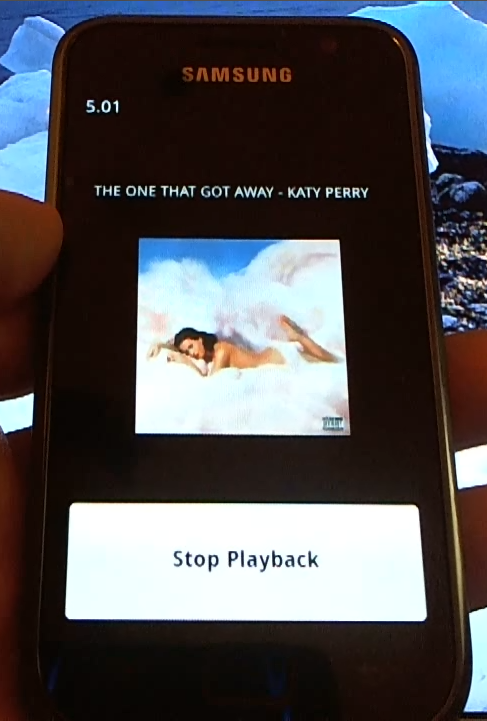 RTMP fulfills the second requirement, very low live latency. The protocol was originally designed for real-time 2-way video communication, therefore has very minimal delay. That said, for live on mobile a buffer is recommended for smooth playback, which is user defined and set to 5 seconds in this example. Of course it's also possible to switch to an HTTP based delivery approach with HDS, which changes the latency characteristics and reconnect requirements.
Next on the list is the reconnect feature, which is specifically important for a protocol like RTMP that maintains a consistent connection. If the connection is lost, or switches between networks, the playback will less likely pause with this feature. The application will try to reconnect while the buffer plays out. If it connects quickly enough, no interruption of the live stream will occur. The reconnect feature is automatically enabled in the latest version of OSMF.
Last but not least, the advanced metadata for title, artist or album. Live metadata is embedded as part of the stream, which is a feature that has been supported for years. Advanced encoders like the audio optimized Orban encoders and others support live metadata.
For the best experience, the encoder should provide data of the current song as part of the metadata sent when subscribing to the stream, and live cuepoints to update the information during playback. Instead of the encoder, an intermediate server can provide this as well, but you can find more information in the live metadata article.
And finally, the complete code:
Conclusion
With a couple of lines of client code it is possible to create a basic, but highly functional, radio application, that allows the use existing work flows and reach millions of Android users without having to worry about fragmentation.
ARCHIVE NOTE
This article was originally published on overdigital.net and has been migrated to overdigital.ai as part of our content archive. Some links or embeds may no longer work.
Browse more archived articles